Check DKIM keys and signatures in seconds. Verify selectors, key length, and TXT records to prevent spoofing and delivery issues.
Enter your domain and (optionally) a selector to validate your DKIM setup.

DMARCFlow's DKIM Checker tests and verifies your domain's DKIM configuration to ensure it's set up correctly. It confirms emails are signed with your private key and that the signature remains intact-ensuring authenticity and message integrity.
Validate that a public key is correctly published under a selector and spot issues before they affect delivery or security.
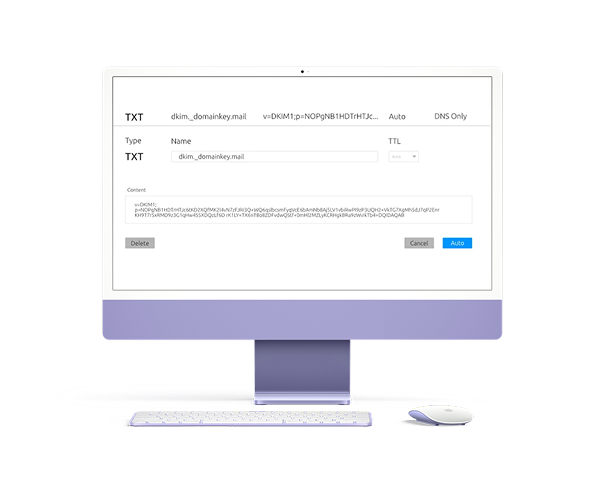
A DKIM record is a DNS TXT entry containing a selector and a public key. The selector points to the private key that signs emails; the public key lets receivers verify the signature and confirm integrity.
Scan Domain
Example: mailo is the selector, and dmarcflow.online is the domain. v=DKIM1
marks the record type, k=rsa the key algorithm, and p=... contains the
public key.
DKIM adds a digital signature to outgoing emails. Your server signs with a private key; receivers fetch your public key from DNS and verify the signature. Matching signatures indicate authenticity; mismatches flag risk. Result: stronger reputation and better inbox placement.
A quick checklist to keep authentication tight and deliverability high
Prefer 2048-bit keys for stronger security and better acceptance by major inboxes.
Use distinct selectors per mail stream (marketing, transactional) to rotate safely.
Publish TXT records directly unless your provider requires a managed alias.
Introduce new selectors, update signers, then deprecate old keys after cutover.
What each DKIM verification status means and what to do about it.
The DKIM signature is valid. The public key in DNS matches the private key that signed the message, and the email content has not been modified in transit. Your DKIM setup is working correctly.
The signature did not verify. Either the message was modified after signing, the wrong private key was used, or the public key in DNS does not match. Check if the email body or headers were altered — mailing lists are a common cause.
No DKIM TXT record exists at the specified selector and domain. Either the selector is wrong, the record was never published, or it was deleted. Verify the selector name with your mail provider and re-publish the record.
The public key is less than 1024 bits. Modern standards require at least 2048-bit RSA keys. Short keys are considered weak and some providers will reject messages signed with them. Rotate to a 2048-bit key immediately.
The signature is present but the body hash does not match. The email content was changed after signing — this often happens when a relay or mailing list adds a footer or modifies headers. Configure your mailing list to break the DKIM signature cleanly rather than silently corrupt it.
The DNS lookup for the DKIM record timed out. This is a transient error but if it recurs it indicates a DNS infrastructure problem. Verify your DNS provider's health and check if the record is published with a short enough TTL.
The most frequent causes of DKIM failures seen in DMARC reports — and their solutions.
Every DKIM signature references a selector. If you don't know your selector, check the DKIM-Signature header of a sent email — the s= tag contains the selector name.
Fix: Use the selector from your mail server or provider's documentation. Common selectors: google, s1, s2, default, mail.
DKIM passing is not enough for DMARC. The domain in the DKIM d= tag must align with the From: header domain. If your ESP signs with their own domain instead of yours, alignment fails.
Fix: Configure your ESP to sign with your domain. Most major platforms (Mailchimp, HubSpot, SendGrid) support custom DKIM signing.
Forwarded messages often have their body modified (footers added, encoding changed), which breaks the DKIM body hash and causes a fail. This is expected behavior — it is not your fault.
Fix: Use relaxed canonicalization (c=relaxed/relaxed) which tolerates minor whitespace changes. For forwarding scenarios, DMARC will still pass if SPF alignment holds.
When rotating DKIM keys, the old selector is removed from DNS before the mail server has switched to the new key — or the new DNS record hasn't propagated yet.
Fix: Always publish the new selector first, wait for DNS propagation (up to 48 hours), then switch the mail server to sign with the new key. Only then retire the old selector.
Common questions about DKIM & DMARCFlow
Questions? We have answers!selector._domainkey.example.com.